Launch it, click a signal, hear it.
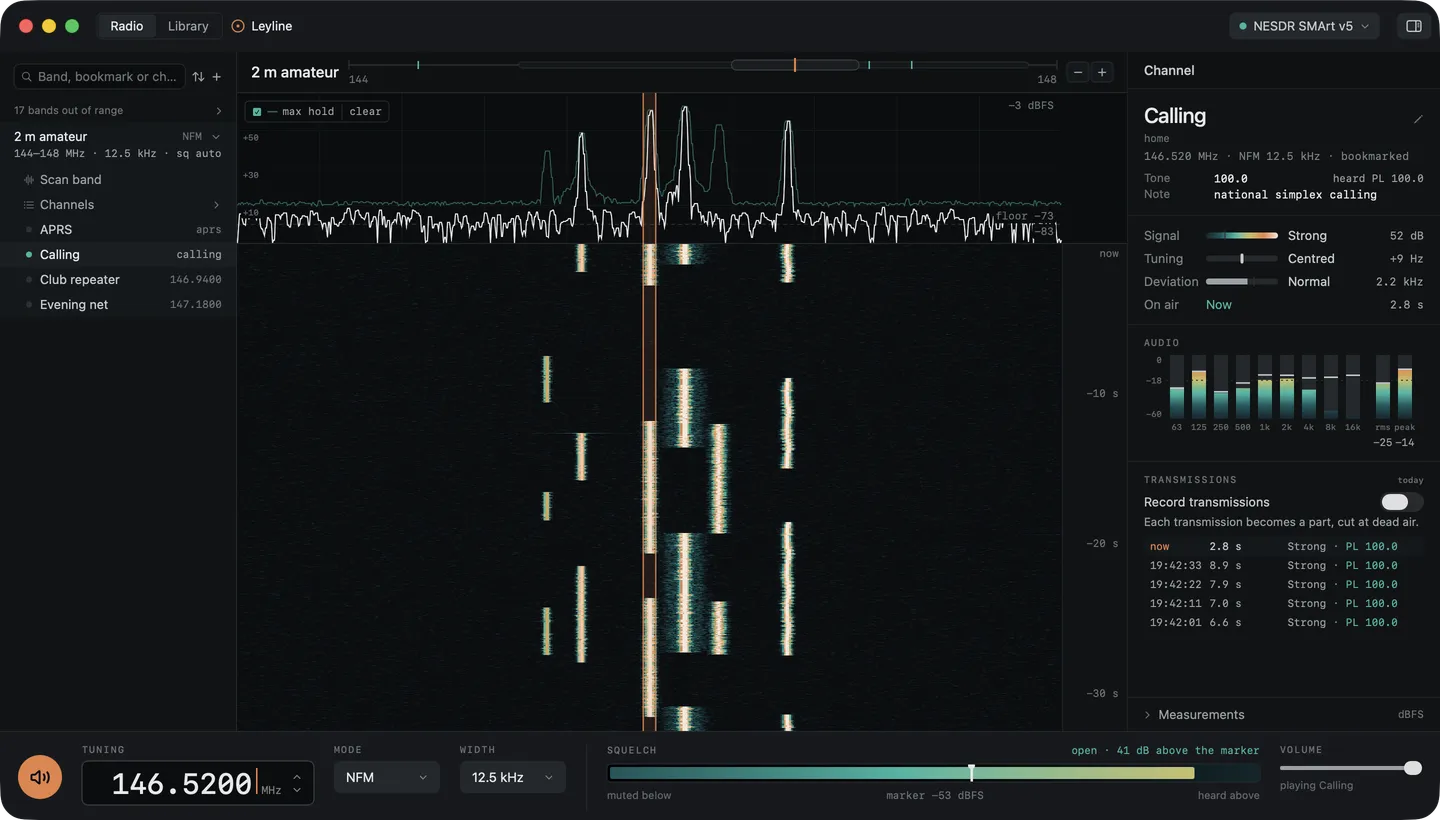
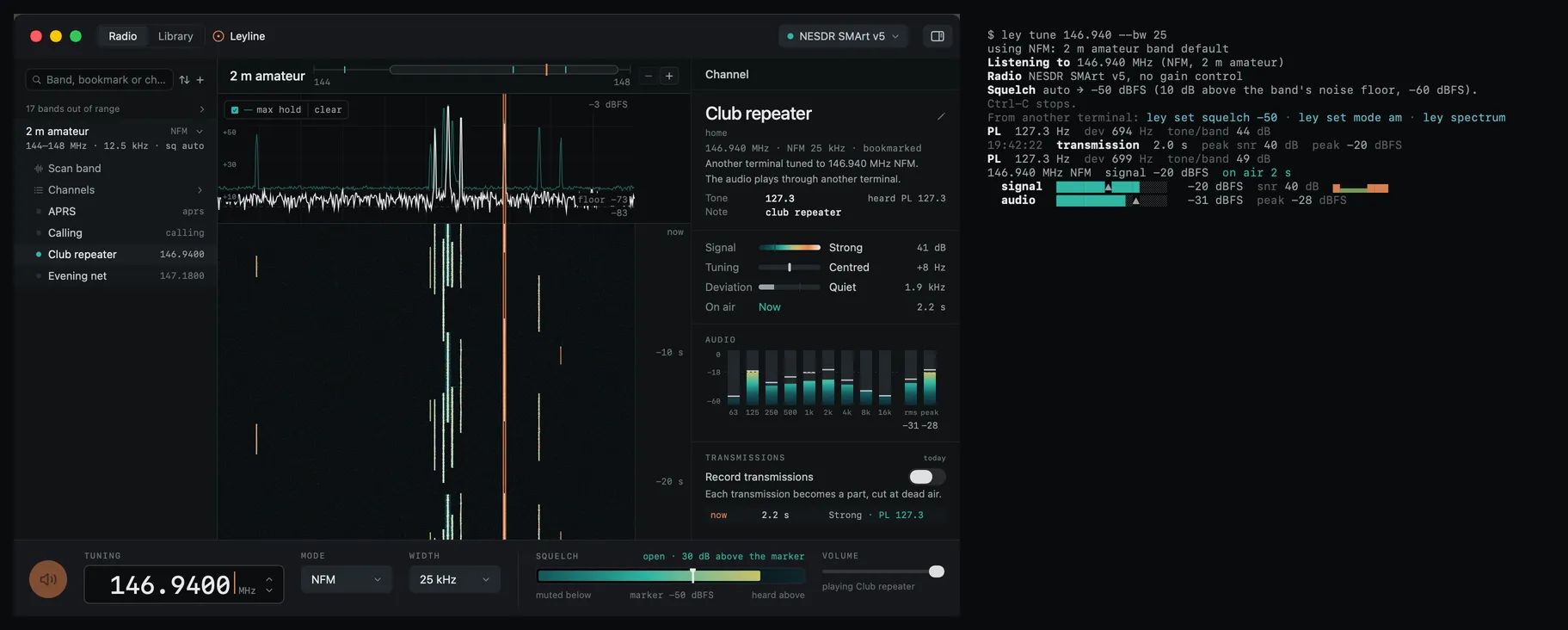
The spectrum and waterfall appear as soon as a radio is connected. Click to tune; mode, bandwidth and squelch come from the band you’re in. Pan and zoom the band rail to explore the capture. The inspector shows the signal, tuning, deviation and the tone it hears, and the Library holds your recordings and their speech text.
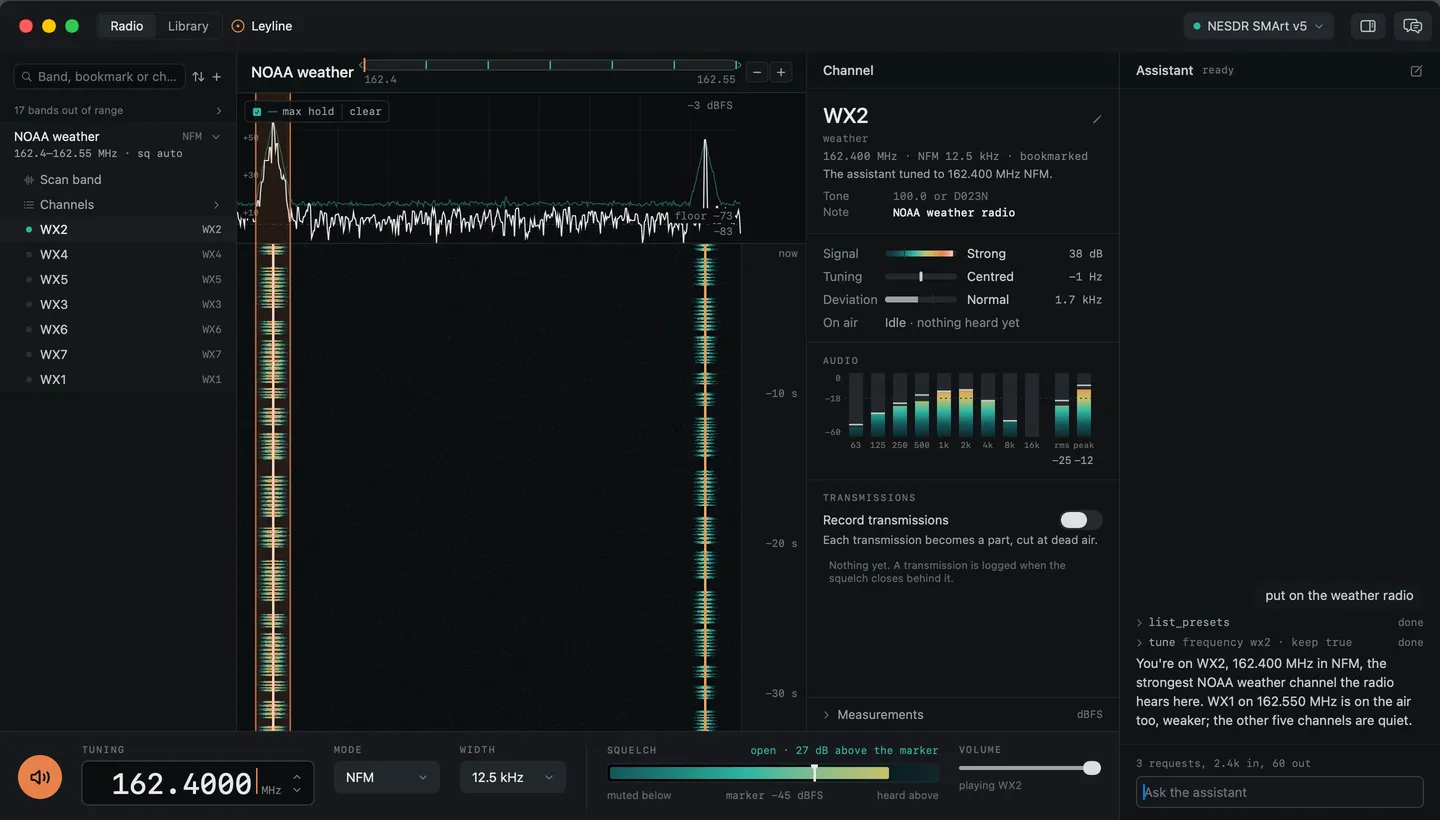
Ask it to put on the weather radio.
An assistant beside the inspector tunes, scans, sets the squelch, records and keeps bookmarks from plain requests. Open any step to see what it did. It asks before taking the radio from another listener, deleting a recording or starting paid transcription, and Stop ends a turn. Conversations stay with you across restarts.
Every over, its own clip. Now with the words.
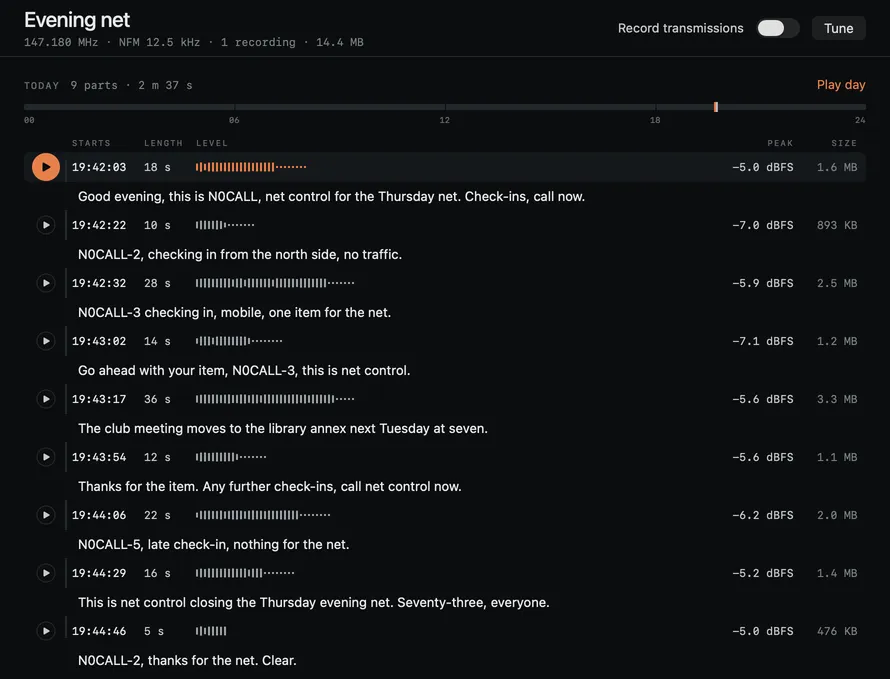
Record each transmission with half a second of audio before it starts. Add speech-to-text to search the words, play the matching clip, or export text and SRT. Watch a live channel for phrases such as “net control”. Speech sends each over’s audio to your OpenAI or OpenAI-compatible provider; it doesn’t run on the Mac.
Choose the provider. See what it uses.
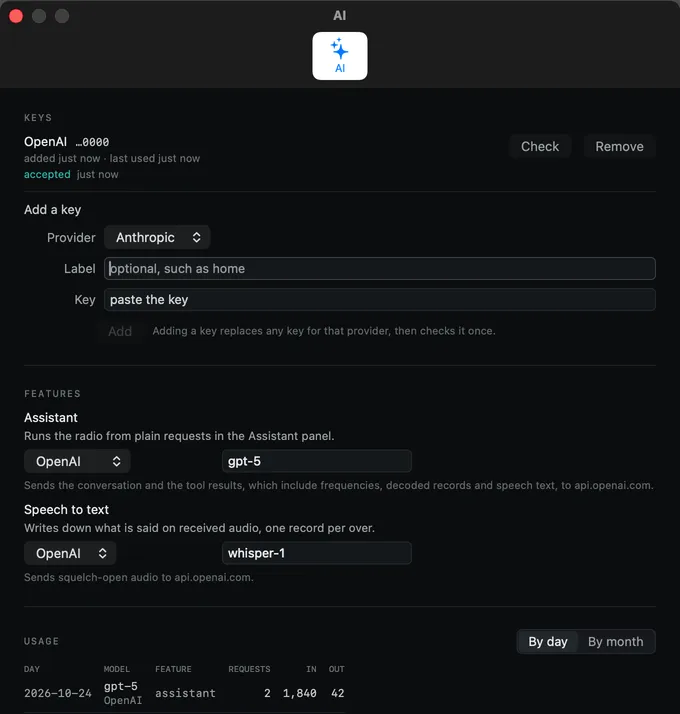
Add an Anthropic, OpenAI or OpenAI-compatible key in Settings → AI. Choose a model for the assistant and a supported provider for speech. Keys stay in the Mac’s login keychain. Settings shows what each feature sends, where it goes, and your usage: conversation and tool results for the assistant, audio for speech. Listening and recording need no AI key.
Your CHIRP memories, organized by band.
Import a CHIRP export and your memories become bookmarks with their tones, offsets and notes, filed by band. Memories on the same frequency share a row and keep their own details. Sort by frequency or name, or tune straight to the built-in NOAA weather, GMRS, MURS and marine channels.
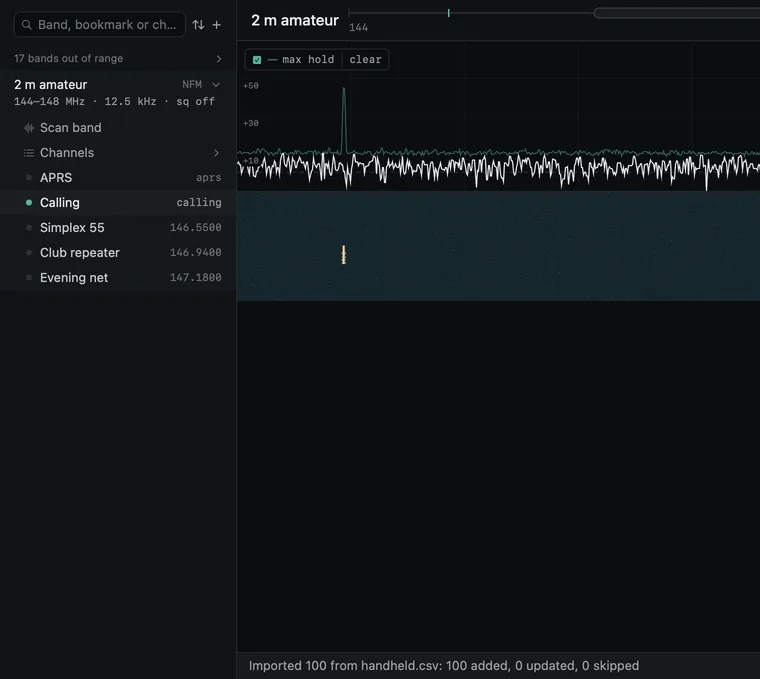
Hear a repeater, learn its tone.
On an NFM channel Leyline listens under the voice for a CTCSS tone or a DCS code and shows it beside the bookmark’s tone, the way your radio’s menu would: PL 127.3, or DCS 023 in octal. Add it to the bookmark, then program your handheld.
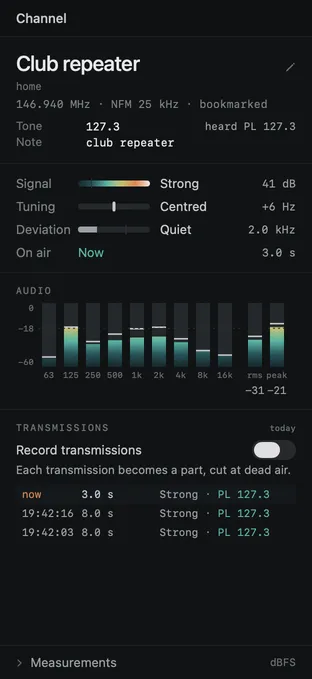
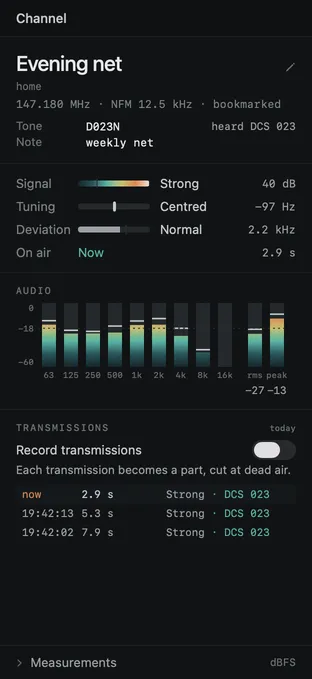
Sweep a band and see what’s on it.
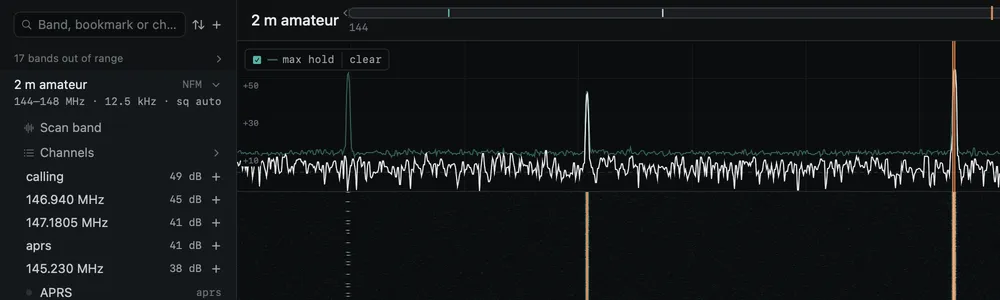
Scan band lists carriers with their frequency, width, signal-to-noise and how often they were seen, then marks them on the band rail. A single burst reads differently from a repeater that is always up. A scan reports when the radio is already in use.

APRS, weather alerts and AIS, decoded.
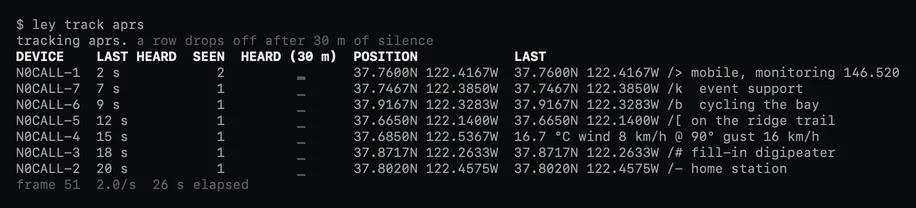
Decoders share the radio with you when their channel is in range, or run on a second radio. Follow APRS stations as they beacon, see vessels on AIS, and set a watch that sends a macOS notification when a SAME alert names your county. Alerts can also go to a webhook or a shell command.

One radio. Three ways to use it.
A background engine runs the radio, and decoders and watches keep going after the window closes. The Mac app, the ley command and MCP clients all talk to it. Tune from the terminal or the assistant and the window follows: the readout, inspector, transmissions and audio move to the new channel. If the old channel is still recording, the inspector keeps its Stop control in reach.
What you need
Free for Mac.
Signed and notarized by Apple, and it updates itself. Drag it to Applications, plug in a radio and open it.